

Ever found yourself staring at your iPhone, wondering why it’s playing hard to get by sending all your calls straight to voicemail? You’re not alone. Many users face this puzzling predicament, and it’s enough to make anyone question their phone’s loyalty.
Understanding Call Forwarding on iPhone
Call forwarding can lead to missed connections when calls go straight to voicemail. Numerous factors can affect this functionality.
What Is Call Forwarding?
Call forwarding allows incoming calls to route to a different number or voicemail. Users often utilize this feature while traveling or during busy periods. By forwarding calls, one can manage their availability effectively. Various types of forwarding exist, such as unconditional forwarding, which redirects all calls, and conditional forwarding, which sends calls to voicemail when the line is busy or unanswered. This capability varies among mobile carriers and device settings. Understanding how this feature operates helps users troubleshoot issues like calls going directly to voicemail.
How to Check Call Forwarding Settings
Checking call forwarding settings on an iPhone is straightforward. First, open the Settings app and scroll to Phone. From there, select Call Forwarding. If the feature is turned on, it displays the number to which calls are forwarded. Users can toggle this setting on or off as needed. In some cases, carriers provide specific codes to check forwarding status directly via the dial pad. This process ensures users maintain control over their call management preferences, preventing frustration with missed calls.
Common Reasons for Calls Going to Voicemail
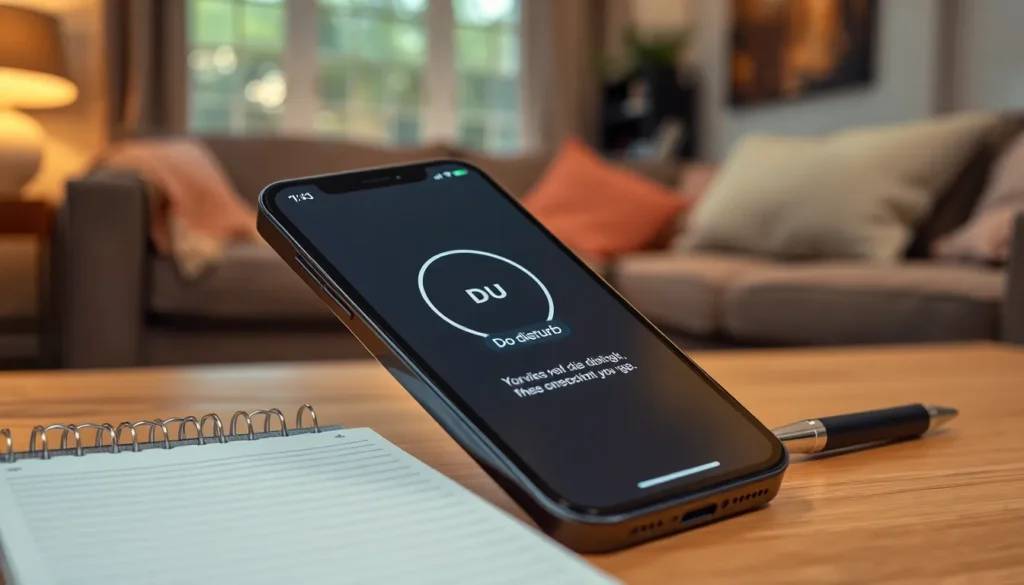
Calls going to voicemail can stem from several reasons. Understanding these can help troubleshoot the issue effectively.
Do Not Disturb Mode
Do Not Disturb mode silences incoming notifications, sending calls directly to voicemail. This feature, when activated, can lead users to miss important calls unintentionally. Users can check if the moon icon appears in the status bar, signaling that the mode is on. Disabling this feature in Settings under Focus can resolve this issue quickly. It’s essential for users to be aware of this setting, especially during busy times.
Network Issues
Network issues can disrupt call connectivity, causing calls to forward to voicemail. Weak signals or poor reception may prevent an iPhone from ringing. Users in areas with limited coverage might experience this more frequently. Resetting network settings can sometimes refresh the connection, improving call reliability. Checking other networks or switching Airplane Mode on and off can also help diagnose this issue.
Carrier Settings
Carrier settings play a crucial role in call functionality. Outdated or incorrect carrier settings can lead to calls being misrouted. Regularly updating these settings often resolves many connectivity problems. Users can go to Settings and tap About to check for updates. Keeping carrier settings current helps ensure optimal call performance.
Troubleshooting Steps
Resolving issues with iPhone calls going straight to voicemail involves several straightforward steps.
Restart Your iPhone
A simple restart often fixes minor glitches. Press and hold the side button and either volume button until the slider appears. Once the device turns off, wait a few seconds, then power it back on. After rebooting, check if calls now ring. Restarting clears temporary settings that could impact call functions. This method can help restore normal operation without complex solutions.
Update Carrier Settings
Keeping carrier settings up to date is essential for optimal performance. To check for updates, navigate to Settings, select General, then tap About. If an update is available, a prompt will appear. Installing the latest settings resolves compatibility issues that might cause calls to go directly to voicemail. Carrier updates often improve connectivity and call handling, ensuring a smoother experience. Regular updates contribute to better overall device functionality.
When to Contact Your Carrier
If issues persist despite troubleshooting, it’s advisable to contact the carrier for support.
Carrier-Specific Issues
Carrier services may experience occasional outages or technical issues. Sometimes, these disruptions affect call routing, resulting in missed connections. Users might also face restrictions based on their account type or plan, which can impact call forwarding settings. Different carriers manage features like voicemail and call forwarding in unique ways. Therefore, reaching out to the carrier’s customer support can provide clarity on any service-related problems impacting calls.
Account Status Checks
Account status plays a crucial role in call functionality. A suspended account can lead to calls being sent directly to voicemail. Regularly checking account balances and payment status ensures no issues hinder service. Activation of certain features, such as call forwarding, often depends on plan eligibility. Users ought to verify that their account remains in good standing and meets the necessary requirements for reliable phone service.
Understanding why an iPhone forwards calls to voicemail can significantly enhance the user experience. By familiarizing themselves with call forwarding settings and common issues like Do Not Disturb mode and network problems, users can take proactive steps to ensure they stay connected. Regularly updating carrier settings and checking account status can prevent unexpected disruptions. If challenges continue, reaching out to the carrier for assistance can provide further clarity and support. With the right knowledge and tools, users can regain control over their call preferences and minimize missed connections.


